
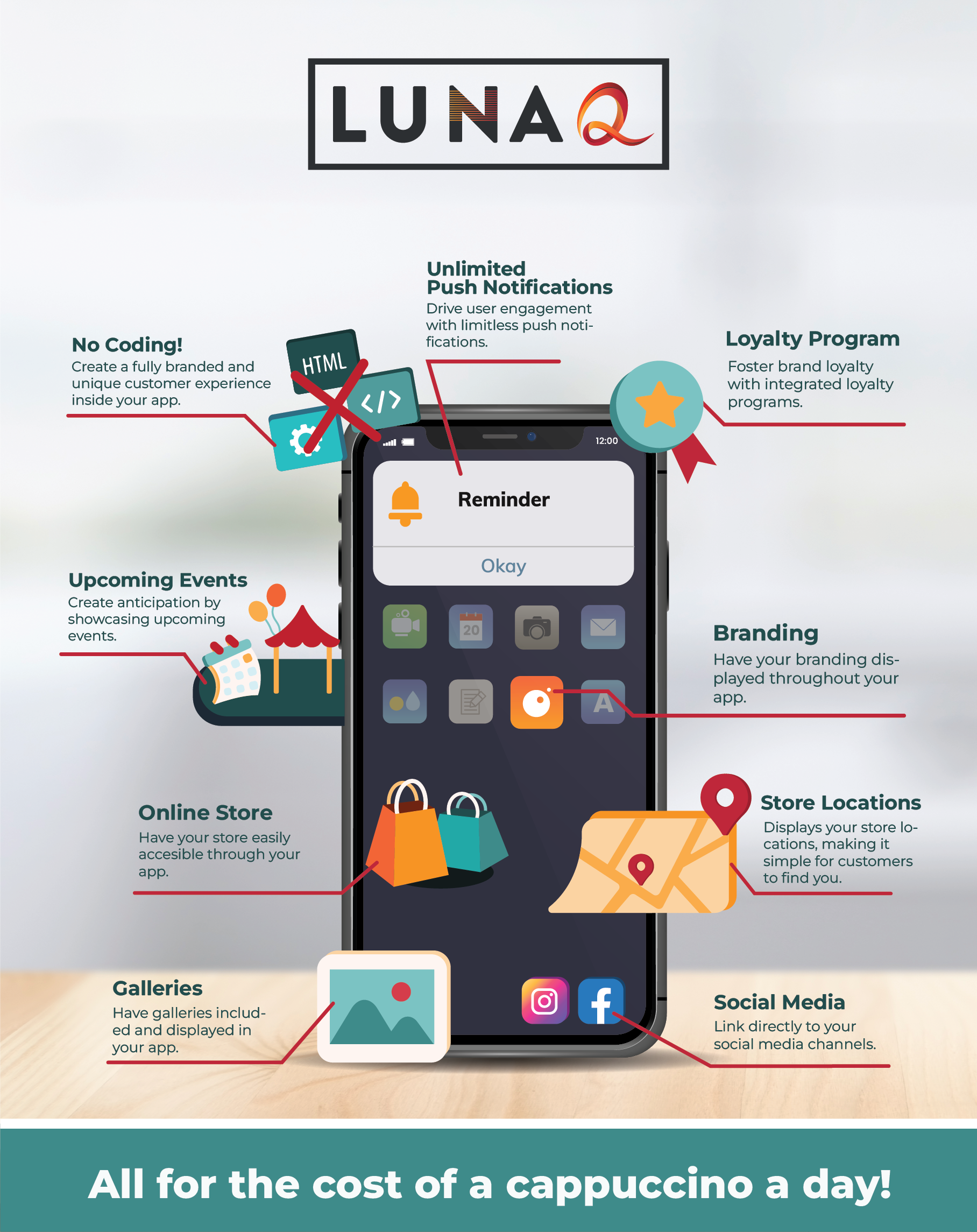
A mobile application can be a powerful tool for expanding an existing business or launching a new one. It provides an effective means of engaging with your online customers directly on their mobile devices, boosting mobile traffic, and enticing active users to spend more time on your website. Contrary to common belief, creating your own app is not as complicated as it may seem.
Many people assume that app development requires intricate programming skills, but that’s not the case. You don’t need to be a coding expert to develop an app with impressive features that resonate with your target audience.
Below, we’ve curated the top resources to guide you through the entire process of building an app, catering to both first-time app builders and non-technical users. This article is crafted in a straightforward manner to ensure accessibility for everyone, simplifying the app development journey from inception to completion.
Prepare for a Successful App Development: Initial Planning Steps
Leveraging a decade of experience and a track record of over 10,000 published mobile apps, our insights are derived from the pitfalls of apps that faltered due to inadequate planning.
For those intrigued by the process of creating an app but uncertain about where to start, consider this guide as a valuable source of inspiration.
1. Generate Feasible App Concepts
Embarking on the journey of building a successful app begins with cultivating a distinctive idea that resonates with your personal passion and holds potential interest or utility for others.
For those new to app development, exploring app ideas tailored for beginners is a constructive starting point. Alternatively, if you seek innovation, consider venturing into uncharted territory with unique concepts, such as inventive social media app ideas.
After compiling a list of compelling app ideas, present your top choices to a diverse audience, whether strangers online, close friends, or family members, encouraging them to provide candid feedback. Embrace a devil’s advocate approach, inviting them to scrutinize and uncover potential flaws in your app concept. This process is instrumental in refining the goals and vision for your upcoming app.
2. Establish Objectives for Your Application
Embarking on the creation of a mobile app is a substantial undertaking, and without well-defined goals, you risk encountering obstacles that may lead the project astray.
To mitigate this, dedicate time to deliberate on the objectives for your app. What is its intended purpose? Who is the target audience, and what benefits will they derive from using it? Consider your plans for monetization and outline the strategies accordingly.
Once you’ve clarified these aspects, proceed to outline the steps necessary to achieve each goal. Assign realistic “due dates” to each step, ensuring accountability and preventing your app development project from falling behind schedule.
3. Perform Market Research
The prosperity of your app, akin to any other product, commences with thorough market research. Here are key areas to emphasize during the market research process:
Understand Your Target Audience
Examine your niche and target audience thoroughly. Gain insights into their demographics, interests, preferred platforms, and communication style. Utilize this information to craft user personas and strategically position your app marketing efforts.
Identifying your target audience can be achieved through various methods, such as focus groups, surveys, structured interviews, market research data, and audience persona development—establishing a comprehensive understanding to inform your app marketing strategies effectively.
Familiarize Yourself with Your Competitors
Survey the market for mobile apps that provide similar features or services to yours. Analyze well-received apps available in app stores, examining their features and business models to gather valuable insights for shaping your app’s capabilities.
During competitor analysis, consider asking questions such as:
- Is this individual app released by a sole proprietor or an organization? Competing against large enterprises with extensive advertising resources poses significant challenges.
- What is the frequency of updates for the app? If it has remained unaltered for an extended period, there is an opportunity to seize a portion of the market share.
- Examine the star ratings and user feedback of your competitors. Identify ways to enhance shortcomings in other apps and better fulfill users’ needs.
4. Establish Your Monetization Strategy or Strategies
If your intention is to generate revenue from your app, this section is tailored for you. Numerous methods exist for app monetization, and it is crucial to select the specific approach that aligns best with your app. Here are some widely used app monetization methods:
- Freemium models enable users to access the fundamental functions of the app at no cost, with optional in-app purchases to unlock specific features or content.
- In-app advertisements seamlessly integrate within the app, appearing either as compact screen elements or full-screen displays that prompt user interaction to exit.
- Subscription models may offer a brief initial free trial, followed by a mandatory monthly or yearly fee for continued access to the app.
- Sponsorships/Partnerships entail collaborating with a comparable app, providing in-app rewards for that app when users fulfill specific in-app actions within the native app. This mutually beneficial arrangement fosters cross-promotion and facilitates growth for both partnering entities.
Embarking on and strategizing for your app monetization endeavors should be a carefully considered process. For guidance in initiating this journey, explore our insights on effective app monetization strategies.
5. Select a Construction Approach
The last crucial decision before commencing your app creation journey is to choose between building the app independently using app development software or collaborating with a software development partner.
Developing an app without using code
If you decide to build your application on your own, you might want to explore no-code app development platforms like LunaQ. LunaQ’s app maker allows you to create an app that works seamlessly on both iOS and Android, eliminating the need for coding. Just register, select a template, and use the drag-and-drop features to create a personalized app in just a few minutes. The entire process is genuinely straightforward.
Utilizing native development to create an app
Native development demands proficiency in low-level coding. If coding is unfamiliar territory, it’s advisable to enlist the expertise of a specialized app developer to construct the app on your behalf.
For those aiming to launch the app on both iOS and Android platforms, hiring an app developer becomes imperative to deploy native apps on the iOS App Store and Google Play Store. This necessity arises due to the distinct programming languages employed by each platform. Additionally, engaging a full-stack web developer is essential for constructing the backend infrastructure to host data on the cloud.
While opting for native development affords greater control over the user experience and facilitates flexible design for seamless support, it’s crucial to acknowledge that creating an app from scratch using this approach is time-intensive and can incur substantial costs.
Creating an app through hybrid app development
Opting for hybrid development offers a more budget-friendly alternative to native development. Typically, hybrid apps are built using Javascript, a programming language that allows you to create an app once and launch it on multiple platforms, including iOS and Android.
Unlike the native development approach, you won’t necessarily require the expertise of an app developer with low-level coding skills. However, proficiency in web development remains essential.
While hybrid development can be a time and cost-efficient choice compared to native development, it’s crucial to note that there may be potential trade-offs in terms of app performance and quality.
Developing an app with a Rapid App Development (RAD) app builder
Opting for rapid app development proves to be a preferred choice, especially for non-technical users aspiring to independently create apps. It presents a cost-effective and quicker alternative compared to both native and hybrid development approaches.
With RAD, you can construct an app using their existing tools through an online interface. While coding skills are not a prerequisite, having a fundamental understanding of the technical aspects is beneficial if you aim to enhance your app’s functionality beyond basic levels.
It’s important to note that utilizing a rapid app development method might impose limitations on the features and functions you can incorporate into your app. Conversely, app-building software may provide a set of tools, albeit limited, for developing and customizing your app.
Creating an App Without Coding: A Step-by-Step Guide
Having completed your research and determined the platform and app development method, it’s now time to implement your plan and bring your app to life!
1. Choose a Name for Your App
Selecting an app name is a pivotal aspect of app development. Channel your creativity to conceive a name that is distinctive and memorable, preferably reflecting the app’s key features. Aim for a concise name that is easy to remember and align it with your developer account name and brand/website for consistency.
2. Specify the Features of Your App
This phase involves brainstorming the essential elements that your target audience will find most valuable. To achieve this, align your app features with the fundamental goal(s) of your app.
For instance, a news app might prioritize a layout with content blocks for news stories, while a concert app could emphasize listings for ticket purchases as essential features.
While determining core app features, exercise restraint to avoid incorporating unnecessary elements. Adding features for the sake of inclusion may lead to user confusion and hinder their seamless utilization of the app.
3. Map Out User Journeys
Comprehending how users engage with your app is crucial for its success. Outline the anticipated steps users may take, starting from the initial app launch to every click and page they encounter while fulfilling their tasks.
Delve into various user personas, recognizing their distinct pathways within the app. Pinpoint potential challenges and opportunities for enhancement to facilitate a more seamless user experience. By empathizing with user needs, you can design intuitive pathways leading to their desired outcomes. User journey mapping aids in prioritizing app elements and content, ensuring resonance with your target audience and maintaining their engagement.
4. Create a Wireframe
This marks the exciting phase where your research and planning take on a visual form. Begin by sketching a wireframe, a preliminary layout illustration, representing the potential appearance of each screen in your app. Factor in each identified “page” from your user journey research and consider how it might translate on both iPhone and Android smartphones. However, avoid fixating on custom app design elements at this early stage of mobile app development.
The primary objective is to outline the app’s features, refine the app layout and design, and visualize any potential user interface challenges. Wireframing is the pivotal step where you shape the structure and flow of your app.
5. Develop the Components of Your App
At this stage, you embark on the actual creation of the essential elements that will constitute your app, resulting in a streamlined initial version or Minimum Viable Product (MVP). During the initial planning, you’ve already brainstormed the must-have features and compiled a list of nice-to-have features.
Begin by constructing your indispensable features. If you’re utilizing a no-code solution, this typically involves seamlessly placing these features within your app’s main navigation.
After establishing your must-have app features, consider incorporating a welcome tutorial or onboarding feature for first-time users. This can introduce each section of your app and guide users on its utilization. Start building your own mobile app for free!
6. Defining Brand Styling
With the MVP of your app established and initial features implemented, it’s time to focus on designing key elements such as color schemes, font types, icons, logos, and other graphics. When crafting an app’s design, it’s generally advisable to align it with the design aesthetics of your brand or business. This encompasses elements like your brand logo, color schemes, font style and size, background, and icons.
Once your brand styling is finalized, use it to craft an app logo that resonates with your target audience and aligns with your app’s objectives. Utilize these design elements to establish branded templates within your app, ensuring all future content remains consistent with your app’s overall brand.
Lastly, don’t overlook the importance of a well-designed splash screen for your mobile app. As the initial visual users encounter upon opening your app, it plays a crucial role in enhancing brand recognition and shaping users’ first impressions.
7. Incorporate Content into Your App
Once you’ve finalized your app’s design elements and infrastructure to your satisfaction, it’s time to integrate information about your brand and app. For newly generated content, this could entail manually inputting each element (such as text, graphics, icons, ecommerce products, etc.) into the app backend. Alternatively, features like RSS feeds can streamline the process, enabling you to effortlessly pull in content like blogs, articles, and photo albums all at once.
8. Preview and Test Your App on Several Devices
In general, it’s advisable to conduct ongoing testing throughout the development phase rather than waiting until the app is fully completed. This approach helps identify and address issues promptly, preventing potential delays in the overall development process. If you haven’t been testing each feature incrementally, now is the opportune time to start.
Share app links with colleagues, friends, family, and initial beta users to initiate testing before the official launch. Encourage them to report any discovered bugs, specifying the device type they are using to pinpoint the occurrence of issues accurately.
9. Publish Your App with Descriptive Information
Once your Android and/or iPhone app has undergone thorough testing and is ready for launch, it’s time to publish it! When submitting your app to the app store, ensure you include all pertinent app data and complete all metadata fields comprehensively. Provide a clear description of your app, upload app screenshots with relevant image alt text, present an overview of app features and functions, and include any other pertinent details. Use a variety of related keywords to maximize visibility.
This comprehensive approach enables the App Store and Google Play search algorithms to index and rank your app download page, subsequently recommending your app for users searching for similar applications. Incorporating relevant keywords into your metadata enhances your app’s search ranking, attracting a larger audience for downloads.
10. Market Your App
There are various strategies to promote your app, and among the most effective ones are:
- Utilizing App Store Optimization (ASO): ASO involves enhancing your app’s presence in the app stores by optimizing keywords, titles, and descriptions. You can refine your app metadata to boost its visibility and discoverability within the app store.
- Through Your Website: Leverage your fully functional website as a powerful tool to promote your recently launched app. Utilizing your website for app promotion is a highly effective marketing strategy. It’s essential to inform both your existing and potential online customers about the app launch. Consider employing web push notifications or allocating a dedicated space on your homepage to highlight and promote the app.
- Via Your Email List: Remember to send an email announcement about your app launch to your subscribers on your email list. Keep your subscribers informed by providing details about your new app along with a link directing them to the app download page.
- Through Social Media: Amplify the visibility of your app on social media platforms or within online groups like Facebook, Instagram, and others. Establishing a dedicated social media account for your app provides an excellent avenue for connecting with your app users. Moreover, you can actively seek feedback on your app to enhance its functionality and user experience.
Bonus! Three Tips for Achieving App Success After Launch:
After the launch of your app, ongoing enhancement is essential. Here are three strategies to achieve this.
1. Gather User Feedback and Maintain Continuous Testing
Monitor app reviews and user feedback closely post-launch, and diligently address any issues raised by your app users.
There are various methods to actively seek feedback for your app:
- Utilize customer input from app reviews to improve and refine your app.
- Gather information through mobile and web app analytics to gain valuable insights into user behaviors.
- Implement an in-app review popup to gather user feedback.
- Foster a sense of community among your current users and actively engage with them in real-time.
2. Release Updates and Enhancements
No application is flawless, and even the most outstanding ones undergo regular updates. Consequently, after launching your app, be prepared to consistently provide maintenance and updates.
Three primary reasons may necessitate your involvement in app maintenance or updates:
- You introduced a fresh version of your app, leading to the emergence of new bugs that need immediate resolution.
- A recent update to the iOS or Android operating system has resulted in your app no longer running seamlessly or being compatible with the new version.
- Local regulations have undergone alterations, necessitating compliance with new legal requirements for your app. Such changes may occur with the introduction of new laws, like Europe’s GDPR or California’s CCPA.
When rolling out updates to the app, it’s crucial to follow the same approach used during the app-building process. Prior to releasing the latest version to users, consistently subject it to quality assurance testing.
3. Monitor Your App’s Performance
Establishing and monitoring Key Performance Indicators (KPIs) is essential to ensure the effective functioning of your app, providing an excellent user experience, and sustaining profitability.
If you’re unsure about how and which metrics to track, consider integrating analytics into your app. Utilizing a comprehensive mobile app analytics tool can save you a significant amount of time, effort, and resources. These tools can assist in tracking technical metrics, user engagement metrics, and analytics within app stores.
Creating an App Using LunaQ No-Code App Builder
Crafting a profitable app swiftly is made simple and efficient with LunaQ’s no-code app development. This approach allows you to focus on your app’s core concept without delving into complex coding intricacies. With our user-friendly drag-and-drop interface and pre-built elements, shaping and customizing your app’s features becomes a seamless process.
LunaQ’s no-code methodology streamlines the app development journey, significantly cutting down on time and costs. This empowers you to iterate and update your app quickly, responding to market demands and user feedback, thereby increasing your chances of success and profitability.
If you’re eager to build a customized app tailored to the specific needs of your target users, LunaQ is here to help. Begin a free trial of LunaQ today!
Creating an App: Frequently Asked Questions (FAQs)
What are the revenue-generating strategies for apps?
You have various options for monetizing your app, such as charging customers a one-time download fee. In-app purchases are also a widely used method to generate revenue. Alternatively, billing users with a monthly or annual subscription fee provides a steady stream of recurring income. Similar to placing ads on websites, you can sell advertising space within your app to generate additional revenue.
Is it possible for me to develop an app independently?
Creating an app independently is easily attainable with the LunaQ app builder. This tool and platform are commonly utilized by non-technical users to construct advanced mobile applications.
Is creating an app a straightforward process?
While there are mobile app creation tools that can build an app without requiring programming skills, the process is straightforward but not necessarily easy. Creating an app involves a significant investment of time and energy, particularly in brainstorming and designing a user-friendly interface.
What are effective ways to validate my app ideas?
Contemplate presenting your app ideas to a diverse audience for validation. Whether it’s a stranger online, your close friends, or family members, seek individuals willing to provide honest opinions. Encourage them to play a devil’s advocate role, actively attempting to identify potential flaws in your app idea.
Which type of app is currently the most popular?
On-demand mobile applications are crucial in providing instant access to our needs with just a few clicks, anytime and anywhere. The prevailing app categories today include social media, food delivery, transportation, healthcare, and gaming apps.
What is the expense associated with publishing an app on the App Store?
To publish an app on the Apple App Store and Google Play Stores, a Developer’s account is mandatory. The cost for an Apple App Store account is $99 per year, and for a Google Play Store account, there is a one-time fee of $29.
What is the typical timeframe for developing a mobile app?
The development duration for mobile applications varies, with some taking weeks or months, and others extending to years. Generally, it takes 2 to 6 months to fully develop an app that is ready for use.
Several factors influence the timeline for app development, including the type of app, the complexity of its features, and the chosen app development platform and method.
What is the expense associated with app development?
There are various ways to obtain a free estimate for your mobile application development project. The most reliable option is to reach out to the developers directly.
An app development company may charge a fee ranging from $5,000 to $500,000 to create a mobile app.
Another method is finding experienced freelance developers on freelancing platforms such as Fiverr, Upwork, LinkedIn, etc.
However, be aware that the fees stated can vary based on the functionality and complexity of the app and its features.
Is it more advantageous to develop iOS apps or Android apps?
There are no distinct advantages to choosing one operating system over the other for app development. Considering that iOS and Android collectively dominate over 95% of the mobile app market share, the optimal approach is to build your app on both operating systems.
It’s important to note that the two mobile app platforms are distinct, meaning an app developed for iOS will not function on Android, and vice versa. Thus, it’s critical to determine the platform during the research stage, as the chosen method significantly impacts your budget, timeline, and the functionalities of your app.